Built for small teams that value clarity over complexity

Gantt software that keeps your team on track.

Plan tasks, track dependencies, and see project delays before they happen — one visual timeline for the whole team.

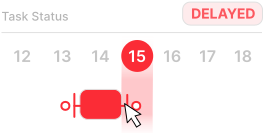
  • Automatic project status. Every task shows On Track, At Risk, or Delayed based on real dates — no manual updates, no status meetings.
  • One flat price for your whole team. Invite every collaborator for one rate. No separate charge per person, no matter how many people join.
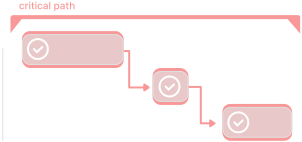
  • Dependencies that keep the schedule honest. Connect tasks, see what is blocking work, and keep the timeline updated when plans change.

Free for one project  ·  Premium $8 / month for unlimited users & more projects

Start Your First Project

No credit card required

Simple Gantt app — Gantt chart project timeline view
★★★★★5 / 5 from early usersFree plan — no credit card requiredCancel anytimeUsed by project managers & small teams
★★★★★

Clean, intuitive interface. Creating tasks and placing them on the timeline is quick and straightforward, without unnecessary steps. I especially liked task dependencies — they make it much easier to organise and prioritise work.

Mateusz K.

Project Manager, SyntraStudio

★★★★★

It focuses on what really matters instead of overwhelming users with unnecessary features. Setting up a project and adding tasks felt very intuitive — there are multiple ways to accomplish the same task depending on your workflow.

Bartosz W.

Student Council Chairman, Faculty of Electrical & Computer Engineering

From planning to delivery — on one Gantt timeline

Not a one-session chart. Ongoing project scheduling software your team comes back to every week.

1

Set Up Your Project Schedule

Add tasks, set start and end dates, and draw dependency arrows to show what blocks what. Your project timeline is ready in minutes — no onboarding wizard, no learning curve.

2

Track Progress Without Status Meetings

SimpleGantt reads your actual task dates and automatically marks each one On Track, At Risk, or Delayed. See where the project stands the moment you open it.

3

Keep the Team Aligned When Plans Change

Drag a task to a new date. Dependent tasks update. Everyone on the team sees the same live Gantt timeline — no spreadsheet to email, no manual rescheduling.

Stop rebuilding project timelines with spreadsheet formulas.

Spreadsheets can be turned into project timelines, but dependencies, schedule risk and changes usually require formulas and ongoing manual maintenance.

Excel / Google Sheets

  • Visual timelines require manual configuration
  • Dependencies must be tracked manually
  • Schedule-risk indicators require custom formulas
  • Changes can be difficult to communicate clearly
  • Multiple versions can create confusion

SimpleGantt

  • Status calculated from task dates — automatically
  • Drag-and-drop visual Gantt timeline
  • Dependency arrows show what's blocking what
  • Everyone sees the same live schedule
  • On Track, At Risk or Delayed — visible at a glance
Try SimpleGantt Free

No credit card required · Free for one project

Gantt project management software built for working teams

Not a chart generator. A project scheduling tool your team actually uses week to week.

Invite your whole team — one flat price

No per-seat pricing. Add every collaborator, assign tasks directly on the Gantt timeline, and keep the whole team on the same page. Your cost stays flat no matter how many people join.

See project delays before they become problems

Every task automatically shows On Track, At Risk, or Delayed based on real dates. No manual status updates. No surprises on delivery day. Know exactly where the project stands at any moment.

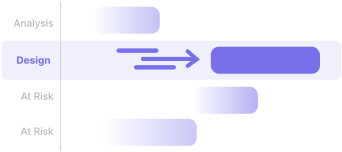
Dependencies that show what is blocking work

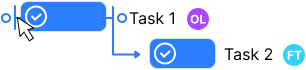
Connect tasks with dependency arrows. When one task slips, you immediately see what it blocks. The Gantt timeline reflects the real schedule — not the plan from last month.

Automatic project statusReal-time risk detection

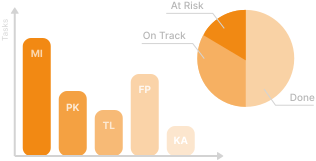
Know what is on track — and what is not

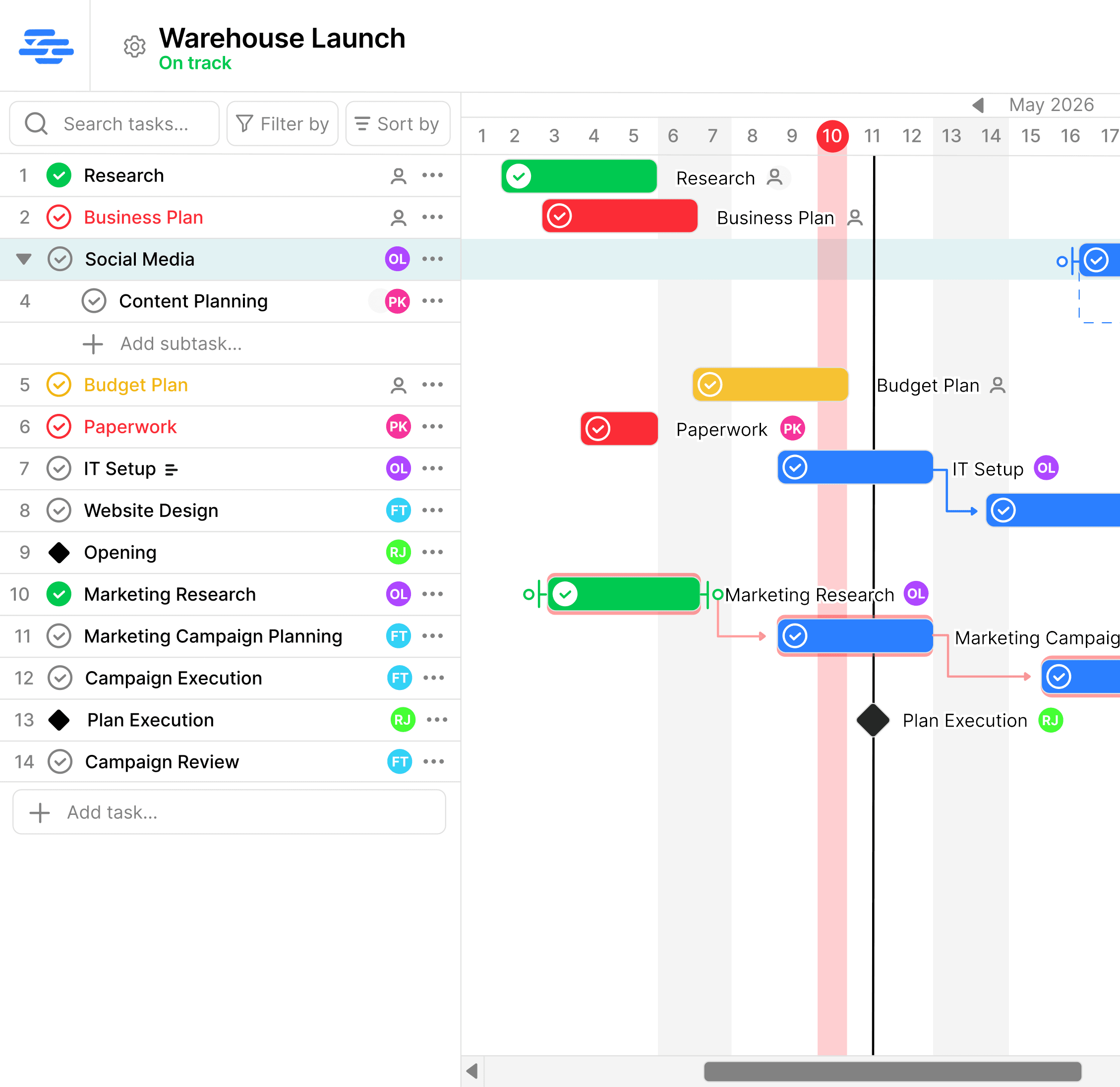
Every task on your Gantt timeline shows On Track, At Risk, or Delayed automatically — calculated from real dates, not manual inputs. See where the project stands the moment you open it. No status meeting required.

Simple Gantt project status overview showing On Track, At Risk, and Delayed tasks on a Gantt timeline
Team assignmentsMilestones

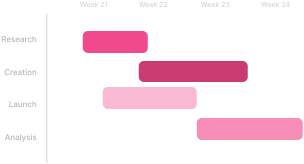
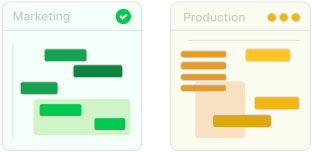
One Gantt timeline your whole team works from

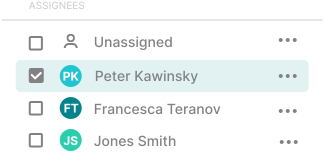
Assign tasks to team members on the Gantt chart. Set milestones for key deliverables. Invite everyone for one flat price — no per-user charge, no matter how large the team grows.

Simple Gantt team collaboration — assigning tasks to team members on a shared Gantt timeline
Drag-and-drop schedulingTask dependencies

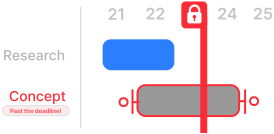
Manage changing deadlines without losing track

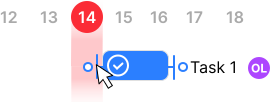
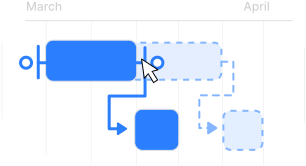
Drag a task to a new date. Draw dependency arrows to show what is blocked. When the plan changes — and it always does — the Gantt schedule updates so the whole team stays aligned.

Simple Gantt deadline and dependency tracking — managing a changing project schedule

See it in action

Dependencies, automatic status, and your full project timeline — all in one clean Gantt view.

Simple pricing. Unlimited teammates.

Start for free and upgrade when you're ready. Bring everyone on board without paying more.

Free

$0forever

Get started with no commitment

  • 1 project
  • Up to 10 users
  • Up to 50 tasks
  • Full Gantt chart
  • Task dependencies & milestones
Get started

Premium

$8/ month

For teams that are growing

  • Up to 20 projects
  • Unlimited users
  • Unlimited tasks
  • Full Gantt chart
  • Task dependencies & milestones
  • Templates
  • Statistics
Start Premium

Enterprise

$75/ month

For organisations at scale

  • Unlimited projects
  • Unlimited users
  • Unlimited tasks
  • Full Gantt chart
  • Task dependencies & milestones
  • Templates & statistics
  • Roles & permissions
  • Multiple project admins
  • Priority support
Start Enterprise
Upgrade only when you need more projectsCancel Premium anytimeYour free project remains available

Frequently asked questions

Everything you need to know about SimpleGantt as your team's project scheduling software.

What is Gantt chart software?

Gantt chart software is a project scheduling and tracking tool that shows your tasks, their durations, start and end dates, dependencies, and team assignments on a visual horizontal timeline. Unlike a static chart, online Gantt software updates automatically as work progresses — so you always see what is On Track, At Risk, or Delayed without maintaining the status manually.

How is SimpleGantt different from other Gantt software?

Most Gantt project management software charges per seat, making it expensive for growing teams. SimpleGantt uses flat-rate pricing so you can invite your whole team for one price. It also focuses on automatic status tracking — every task shows whether it is on schedule based on real dates, not manual inputs.

Is SimpleGantt good Gantt software for small teams?

Yes. SimpleGantt is designed specifically for small teams that need real project scheduling without enterprise complexity or per-seat pricing. You can invite your whole team, assign tasks, track dependencies, and see project status automatically — starting free, with no credit card required.

How does automatic project status work?

SimpleGantt compares each task's end date to today's date. A task is On Track if it has enough time remaining, At Risk if less than 20% of its scheduled time is left, and Delayed if the end date has already passed. No manual status updates needed — the software keeps it current for you.

Can I track dependencies in SimpleGantt?

Yes. Draw dependency arrows between tasks to show which work is blocked by other work. When a predecessor task slips, you can immediately see what it affects — and the visual timeline makes it easy to see what is blocking your project before it causes a missed deadline.

Does pricing depend on team size?

No. All paid plans include unlimited collaborators for one flat rate. Your price depends on the plan you choose, not on how many team members you invite. This makes SimpleGantt especially affordable for teams where per-seat pricing adds up quickly.

How is SimpleGantt different from Monday.com or Microsoft Project?

Monday.com and Microsoft Project are broad platforms built for large organizations — they carry significant complexity and per-seat pricing. SimpleGantt focuses on one thing: Gantt project management software that is fast to set up and easy to use every day. One flat price, one clear timeline, automatic project status.

Can I manage deadlines when the schedule changes?

Yes. Drag tasks to new dates, redraw dependency arrows, and the Gantt timeline updates immediately. Every collaborator sees the same live schedule — no spreadsheet to email, no manual rescheduling, no version confusion.

Can I cancel anytime?

Yes. Cancel at any time. Your plan stays active until the end of your current billing period with no further charges.